Edit a vehicle profile

To edit an existing vehicle profile, proceed as follows:

  • Go to the “Vehicles” module. The existing vehicle profiles are listed here.
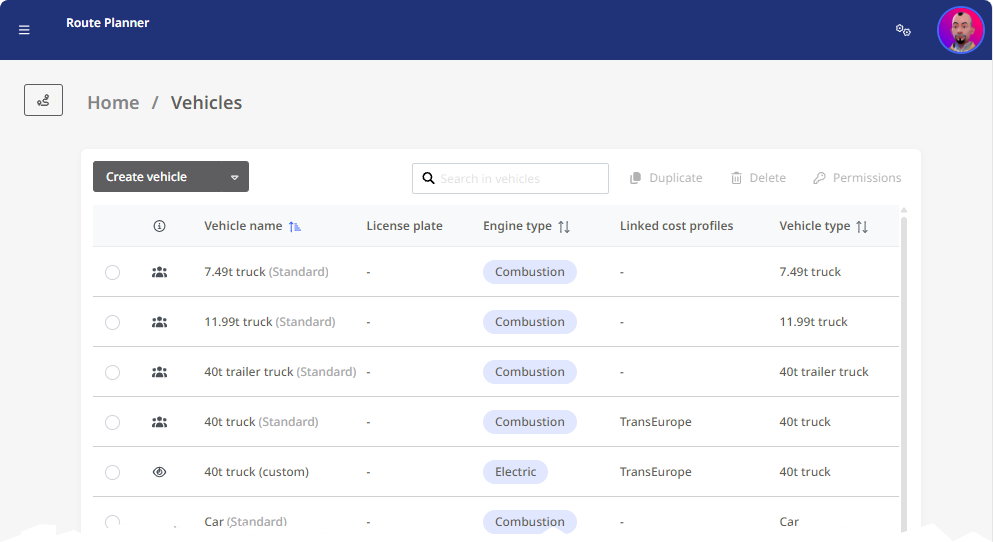
Note: Some vehicle profiles are specified by the standard of the application and cannot be changed. Such vehicles are provided with the addition “(Standard)”.
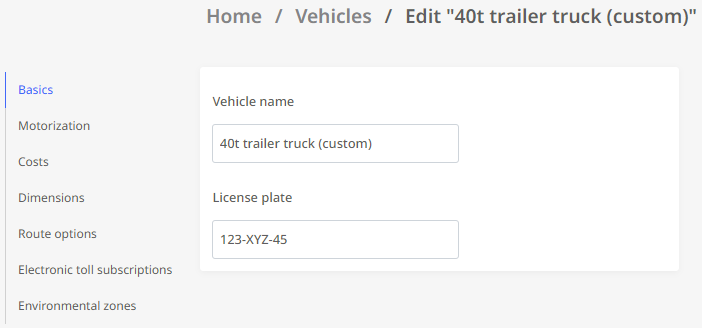
  • Now click on the vehicle profile you want to edit. The form of the vehicle profile is now displayed.

  • Here you can change the existing settings. The procedure is the same as described under “Create a vehicle profile”.

  • As soon as you have made all the desired changes, confirm them by clicking on the <Save and close> button in the upper left window area.

Warning: Conflicting changes to vehicle profiles

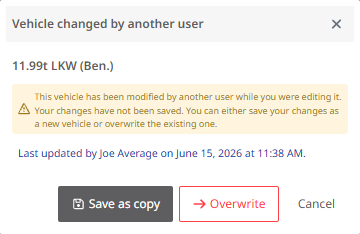
With public profiles, two users can edit the same profile at the same time. PTV Map&Guide prevents the changes made by the first editor from being accidentally overwritten by the changes made by the second editor. If you want to save changes to a vehicle, and another user has already made and saved changes while you had the profile open, a corresponding message will appear. You can now decide:

  • Save as copy - The other user's changes are preserved, and the profile you have modified is saved as a copy.

  • Overwrite - Your changes to the profile are saved, and the other user's changes are permanently lost.

  • Cancel - You return to the editing window. Your changes have not been saved.