Reading time: minute(s)
 Deutsch
 English
 Français
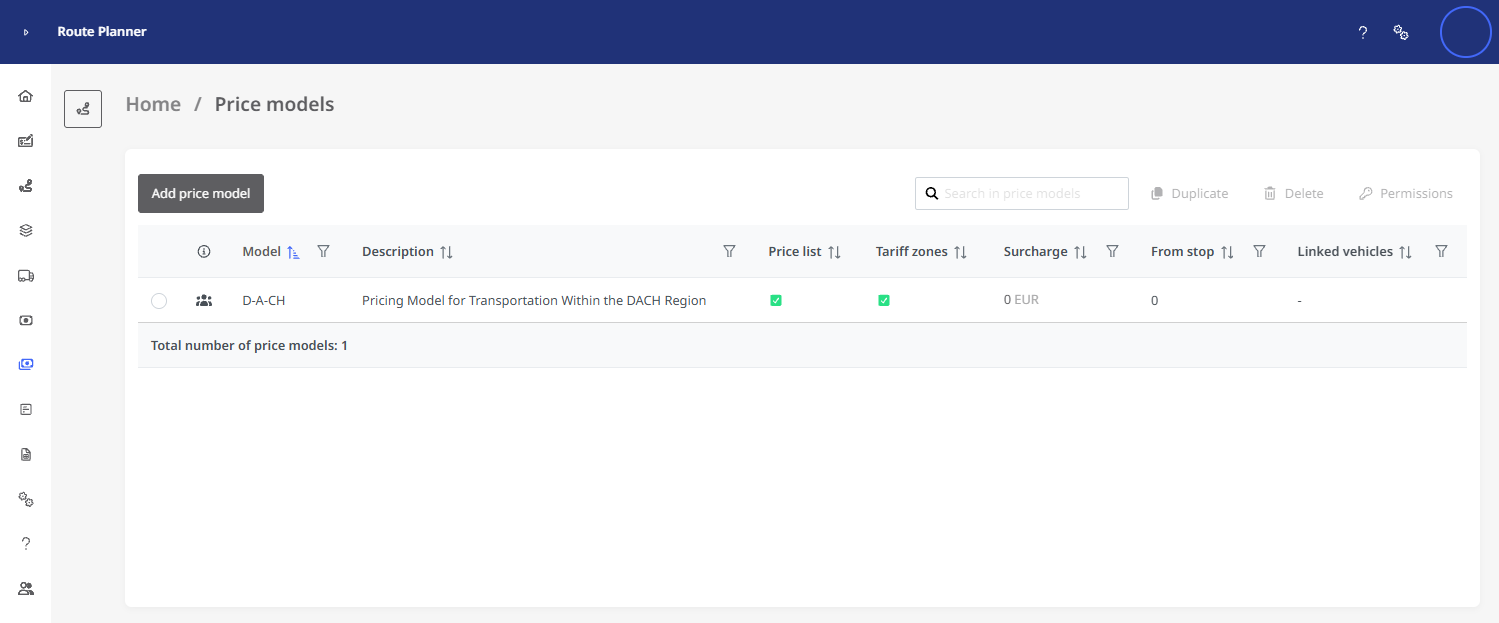
Price Models
Regardless of the total cost of a route (which is determined by the cost profile, fuel costs, and tolls), you can use a price model to calculate cost surcharges and apply them when preparing a quote.
You can set freight surcharges per stop and kilometer-based surcharges based on a price list. You also have the option of having surcharges calculated using a tariff zone model.
Note: To ensure that the surcharges are calculated according to the price model, the price model must be assigned to the desired vehicle!
Note: You can search for
A pricing model consists of three key aspects:
-
Basic Information: In addition to the model's name and description, the following information is provided here:
-
Currency used to calculate the additional costs
-
Freight surcharge per stop: Should a freight surcharge be charged for stops on routes using this model, and starting from which stop?
-
Price List / Tariff zones: Are the additional costs calculated based on a price list and/or tariff zones?
-
-
Price List: You can use the price list to calculate tiered prices for different distance ranges.
The price list allows you to calculate a surcharge based on the distance range. The price list includes different rates for each distance range, which you can adjust.
-
Tariff zones: The rate zone model allows you to set fixed prices for different tariff zones. This enables the surcharge to be calculated based on the defined tariff zones.
For detailed information on these three aspects, see “Create a price model.”
See also: